Case study · Deloitte · US grocery retail · In progress
Prototyping store pricing with AI.
- Role
- Product design, AI prototyping, usability testing
- Status
- In progress
- Client
- A US grocery retailer, via Deloitte Converge
- Users
- Store directors, each running several stores
How do you help a store director decide a hundred price changes without losing track of what reaches the shelf?
Challenge
HQ sends a store director up to a hundred price recommendations at a time. Each one has to be decided, scheduled and printed on a shelf tag.
Contribution
Product design and a working prototype built with AI, tested with store directors and documented decision by decision.
Constraints
Prices reach SAP only through scheduled batches, a store can’t print every tag at once, and the client stays anonymous: captures use a neutral skin and sample data.
Outcome
In progress: a prototype that speaks the shelf’s language, with every design decision and its reason on record.
In numbers
~100
HQ recommendations a director can receive at once
5
stores per director, on average
46
design decisions recorded, each with its reason
Three prices, not one
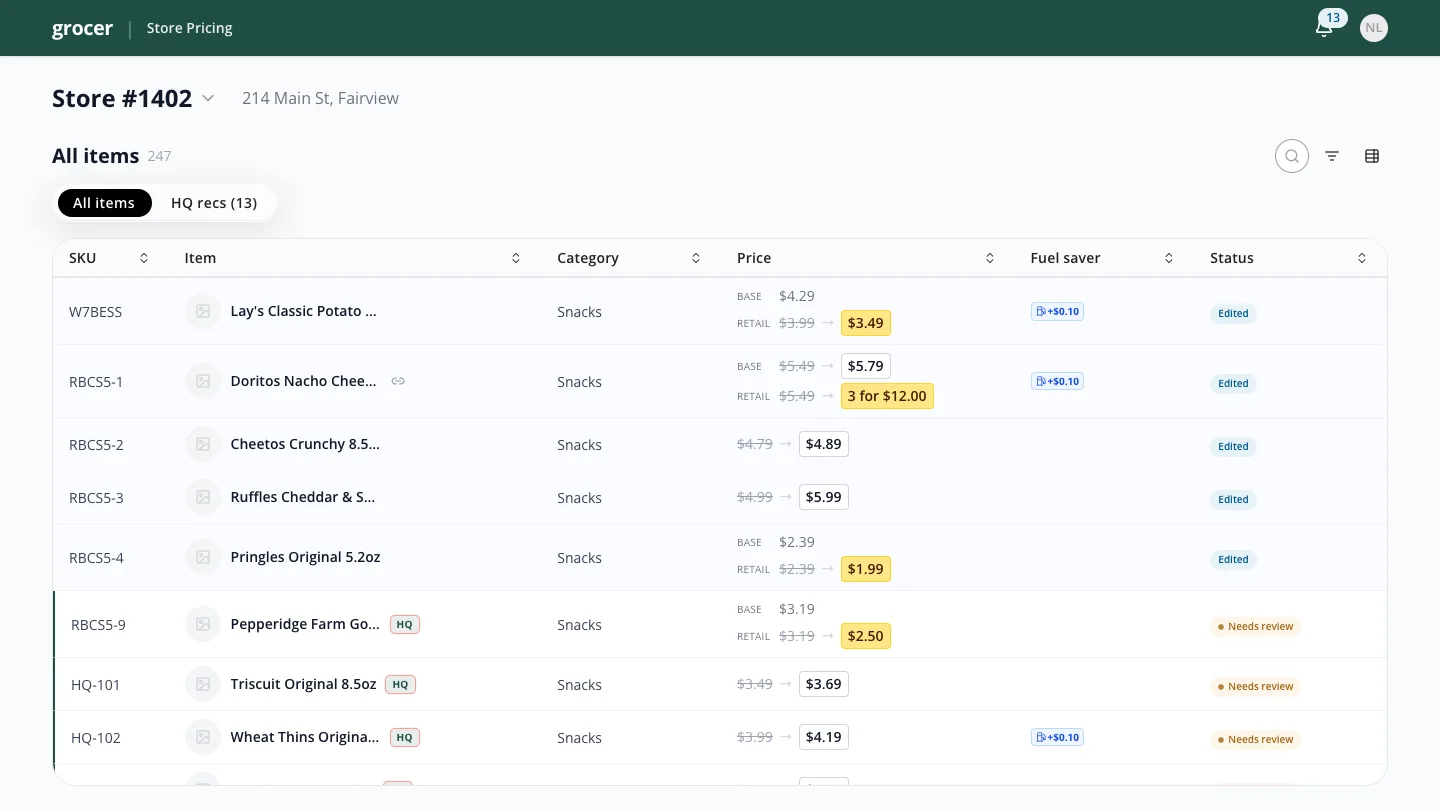
The first versions of the price grid felt disjointed, and the reason wasn’t visual. The prototype treated HQ’s recommendations as if they were already live, so the current price and the recommended price were the same number and couldn’t be told apart.
Reframing the recommendation as a proposal fixed the model. Every item now carries three separate things: the price live in SAP, HQ’s proposal, and the director’s own decision. On a proposal the director can accept it, set a different price or keep the current one, and accepting never sends anything by itself.
Speak the shelf
Don’t build a standard table. Show prices the way they look in the store.
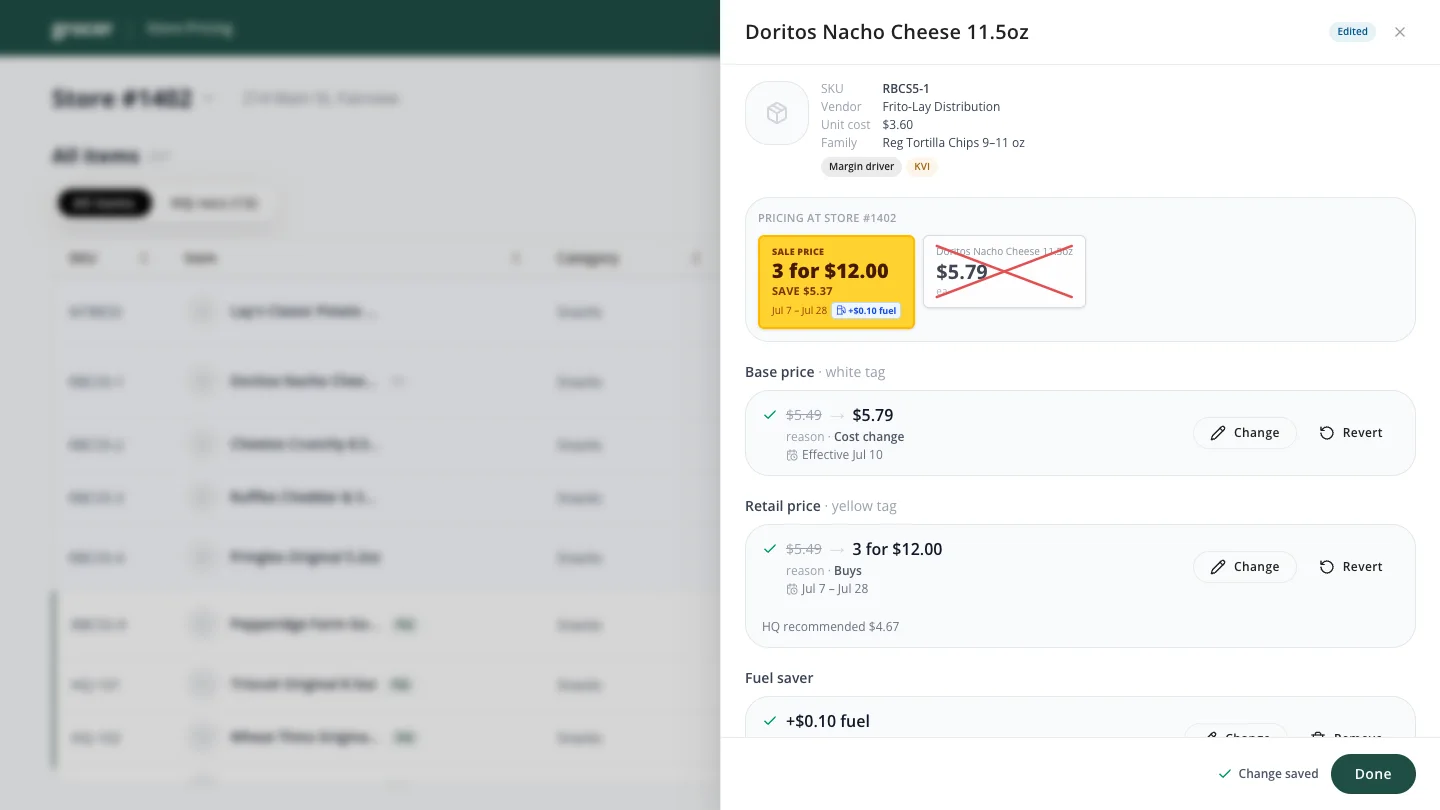
In a grocery store a change type isn’t metadata, it’s a physical object. A regular price lives on the white tag. A temporary promotion is a yellow tag with an end date. A new item gets a fresh tag, a discontinued one a clearance tag.
So the prototype speaks that language. The item panel previews the tag the shopper will actually see, updating as the director edits, and every change keeps its reason and dates so the next person doesn’t have to guess why a price moved.
What testing changed
Moderated sessions with store directors measured how long each task took and where people got stuck. Two findings reshaped the flow.
Edits must not disappear.
Sending lived on a separate batch screen. A participant circled the app looking for it, and kept trying to reach it from the item panel. Moving to another screen made the changes feel lost, so sending moved into the same context as the edits.
Batches are the real control.
A store runs several batches at once, each scheduled on its own, because sending everything to SAP together would overload tag printing. Every decision now lands in a scheduled batch: the director picks the price, then which batch and when.
People also loved the feeling of clearing the pile. An empty review queue read as “mission accomplished”, so the queue drains visibly as decisions are made.
A worklist, not a wizard
Reviewing HQ’s proposals one at a time felt focused, but with up to a hundred of them it was exhausting, and it hid the context a director decides with: neighboring items, patterns, what can be accepted together.
Review became a scannable list instead. Items that need attention come first, routine ones can be accepted in bulk, and any row opens the full panel when it deserves a closer look. Decided items leave the list for good, even after their batch is sent.
On the store floor
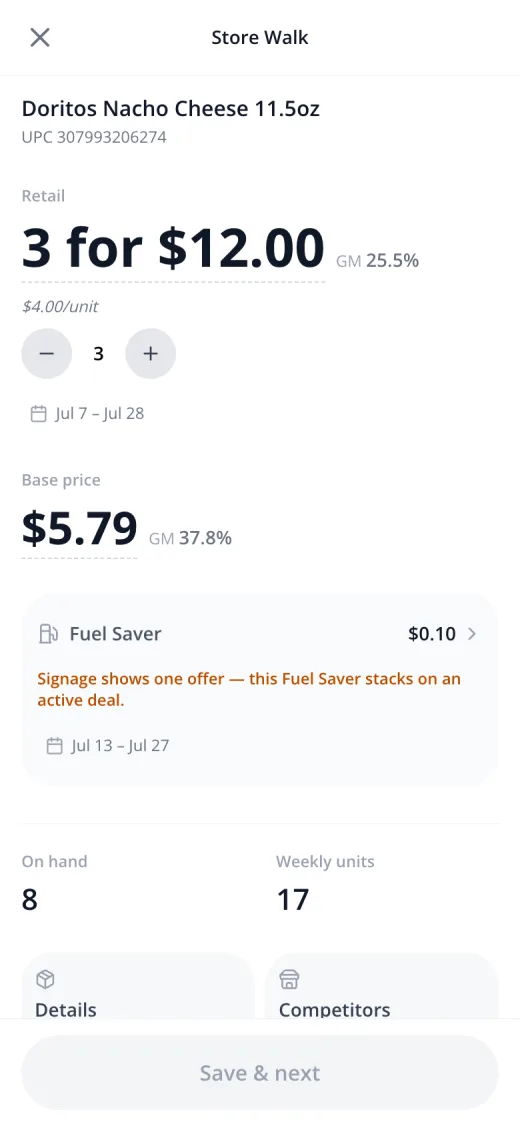
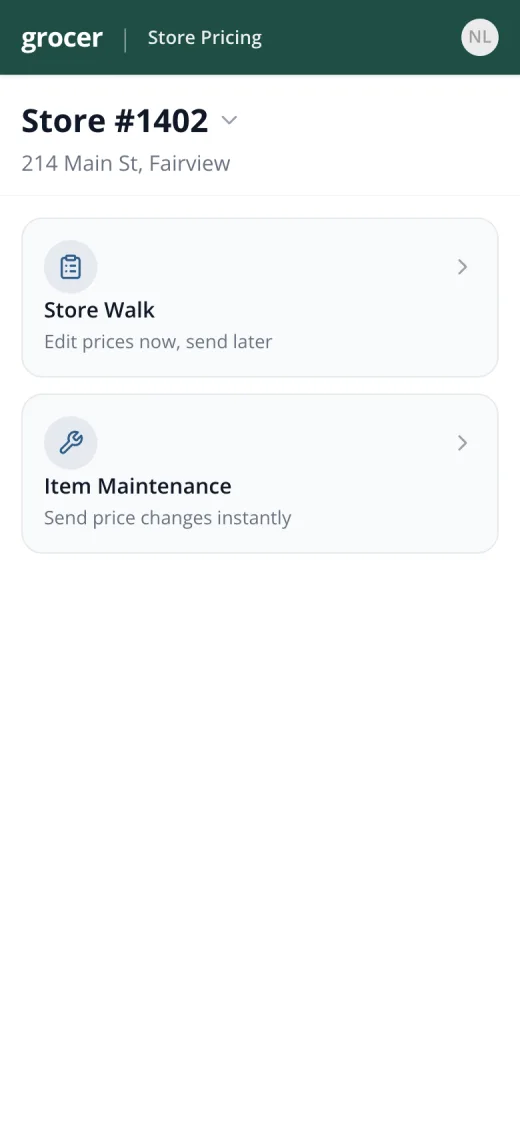
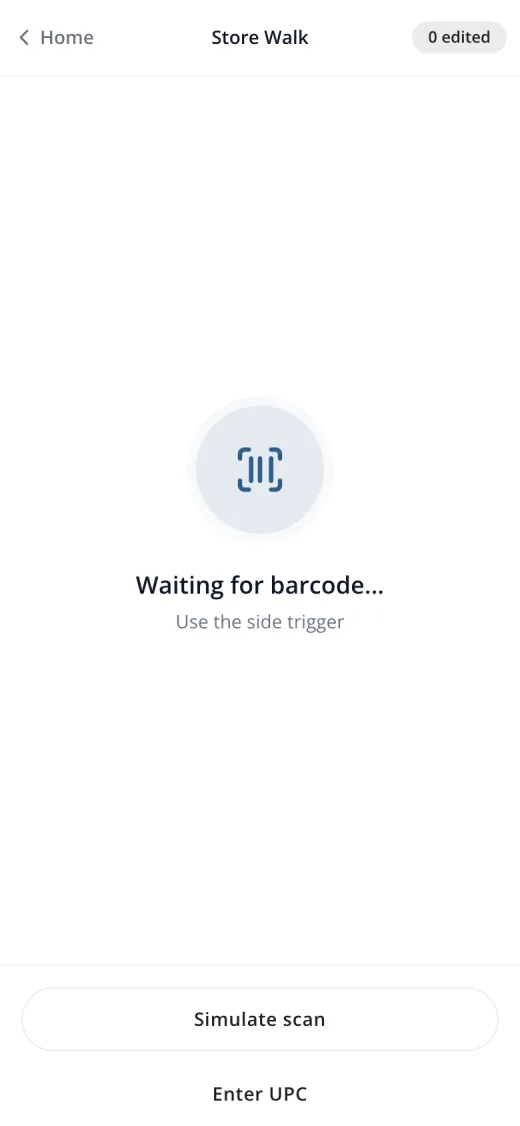
Directors don’t only price from an office. On the phone there are two ways to work: Store Walk, to scan shelf tags with the handheld’s side trigger, edit along the aisle and send later; and Item Maintenance, to change one price and send it right away.
How the prototype gets made
The prototype is a working app built with AI, not a set of screens, so directors test real behavior: batches that schedule, queues that drain, line prices that move together.
Speed made one habit essential. Every decision is written down with its context, what we chose and what we gave up, so the reason survives the next iteration. Audits run by AI agents review flows, copy and accessibility, and their findings become decisions too.
When building is fast, the scarce thing is knowing why each choice was made.
What’s next
The project is in progress. Next is multi-store work: a director should be able to take a price decision from one store and send it, through a single batch, to the other stores they run.
This is the short version. The full story covers the three-price model, the move from a wizard to a worklist, the phone flows and how the decisions are recorded.